




One of the main considerations when moving to Shopify is ensuring you have access to support from to help run your store. Shopify provides dedicated customer support services, but it can also help to work with a Shopify agency that has specialist expertise on the Shopify platform.
If you are considering opening a shop on Shopify, then you’ll want to know what and customer service are available to you. Will you be able to speak to someone if your checkout stops working? What happens if you keep getting DNS errors on your store? These problems could be detrimental to your business.
This guide highlights current Shopify support channels, Shopify Plus support changes, and the alternative ways you can access support for your store quicker.
Shopify Support Channels
Shopify offers several official support channels designed to help brands resolve common store issues and learn how to use the platform correctly.
1 - Work With a Shopify Agency
A dedicated Shopify agency can provide technical and ecommerce strategic support to help grow your Shopify business. There are specialist agencies that have achieved Shopify Platinum Partner status. This means they’ve demonstrated platform knowledge and customer service to be recognized as Shopify experts.
As an example, our growth support service helps Shopify merchants maximize the performance of their Shopify store. This is more than just technical support to ensure the lights are always kept on. It’s an extension of your team that gives you direct access to whatever Shopify knowledge or capabilities you could ever need. This includes:
- E-commerce roadmap planning
- Design and development support
- Advice on which Shopify apps to use
- Seasonal planning and product launch support
- Access to a range of Shopify technical partners
While Shopify offers several official support options, including their customer service, email support and live chat, many growing brands find these channels limiting when it comes to issues that directly affect revenue and or require advanced technical support. This is where working with a Shopify agency can deliver faster and more effective results.
2 - Shopify Customer Service: Email
Do not have time for a chat? Or want to express a problem that cannot be summed up in a small box? You can also do it the "old school" way and send a good old fashion email. The Shopify support representatives are quick at answering any queries and you can expect a response within 48 hours of sending an email.
How To Access Shopify Email Support
Firstly, login to your Shopify account. Visit the Shopify Help Center and click ‘Chat with a human’ at the bottom of the page. You will be offered various options, but you need to select the email support one.
Then you will need to draft a detailed email that outlines your Shopify store issue clearly for the representative to understand. This needs to include your store URL and account information, and any steps that you have already tried to take. You should also attach any relevant screenshots or files. Once it is complete, you need to click “Submit” and await your response.
Our Thoughts
We found Shopify’s email support to be a reliable channel for handling straightforward queries. Response times from the team were generally reasonable, and the guidance provided was clear and easy to follow.
Benefits of Shopify Email Support
- Receive thorough, written responses
- Users can attach supporting documents e.g. screenshots
- All emails are recorded to reference to later
- Flexible for users, emails can be sent anytime
- Representatives can provide relevant documentation, e.g. articles or links that can help resolve the issue
Recommended if: You have an issue with a none-urgent problem that might need a thorough explanation such as billing or payment gateways. Shopify email support works best for account-level and non-urgent queries, however due to varied response times it might not be the best solution if you’re having urgent technical issues that could directly impact revenue.
3 - Shopify Customer Service: Live Chat
The Shopify live chat support option is fantastically convenient and offers more personalised assistance.
How To Access Shopify Live Chat Support
To access this service, you have to visit the Shopify Help Center and click ‘Chat with a human’ at the bottom of the page. Here you can select the live chat service and you can type in your query into a simple box and this will connect you with a Shopify chat support staff member.
Our Thoughts
From our experience the service is quick, simple and efficient. Before logging on they ask you to enter your Shopify domain - this saves time as the representative can quickly see the store that you are concerned about. Many issues are solved whilst on the chat. If not, a Shopify support representative will email you to follow up on your query..
Benefits of Shopify Live Chat Support:
- Immediate Assistance
- Personalised Service
- Convenient and easily accessible
- You can multitask while chatting with a support agent
- Issues can be resolved more quickly
- Chat transcript can be saved
- Detailed support e.g. links, screenshots and other resources
- Available 24/7
Recommended if: You have some serious technical problems with your Shopify store and need a fast response to prevent losing out on sales. Shopify live chat is best suited to answering any quick questions, and surface-level troubleshooting, while complex or immediate issues may require further escalation.
4 - Shopify Customer Service: Phone
Shopify has a telephone support system with dedicated international phone numbers set up for a user's convenience. The Shopify telephone support service is open 24/7 for customers of all subscription types and is designed to provide users with immediate assistance.
How To Access Shopify Telephone Support
To access this service, you need to login to your Shopify account, visit the help center and click ‘Chat with a human’ at the bottom of the page’. You will have to describe your issue in detail and you will be offered various contact options, where you'll need to choose the phone support. Shopify will either provide you with a direct phone number or a callback option.
Our Thoughts
Our experience of Shopify telephone support has been extremely positive. There seems to be plenty of lines available with little holding. When connected, the customer gets put in touch with a real Shopify expert who really knows their stuff! You can also request a call back if you would prefer more intimate Shopify support.
Find the correct Shopify telephone number below:
- North America: 1-855-221-7587
- United Kingdom: 44-808-531-0071
- Australia: 61-1300-252-071
- New Zealand: 64-800-627-051
- India: +00080004028956
Benefits of Shopify Telephone Support:
- Voice-Based Assistance
- Speak Directly With A Support Representative
- Personalised Assistance
- Real-time voice communication to help clarify complex issues
- Available 24/7, regardless of time zones
Recommended if: The phone covers all bases if you have the time to make the call. Ring Shopify for general enquiries (if you want to learn more about the Shopify platform) or if you have an urgent problem that needs addressing. Phone support allows direct communication with Shopify experts, but agents tend to focus more on platform guidance rather than hands-on fixes, which may need to be processed further beyond the frontline Shopify customer support team.
5 - Shopify Customer Service: Community Forum

The Shopify Community Forum is full of friendly Shopify experts, users and Shopify support staff that all discuss the platform together. You may want to use the forum for answers to a question you know has been asked before. If you cannot find an answer then you can always start a new thread.
How To Access The Shopify Forum
Firstly, visit the Shopify Community page. If you want to participate in discussions or start a new conversation, you will need to log in with your Shopify account. There is a ‘Sign In’ button at the top right that you need to click. Once you are logged in, you will need to search for the relevant category or topic that you need help with. Use the search bar to make this step quicker if you want to. In each thread you can read posts, ask questions, reply to posts and find new solutions for managing your Shopify store.
Our Thoughts
The Shopify forum makes it easy for merchants to interact with each other and seek help on a variety of topics to help them manage their online stores. There are various categories, from payments and shipping to ecommerce marketing, technical issues and more.
Benefits of the Shopify Forum:
- Community Support
- Connect with other Shopify users
- Gain new insights & solutions
- Easy to find your topics
- Network opportunities
- Learn best practices & features
Recommended if: You might want an opinion on something, for instance, which application is best to sync my social networks with Shopify. The experienced forum users will be able to give you some opinionated answers without any bias apart from their experiences. While these offer helpful insights, just keep in mind that any advice may not be up-to-date and isn’t verified by Shopify.
6 - Shopify Support: Shopify Manual
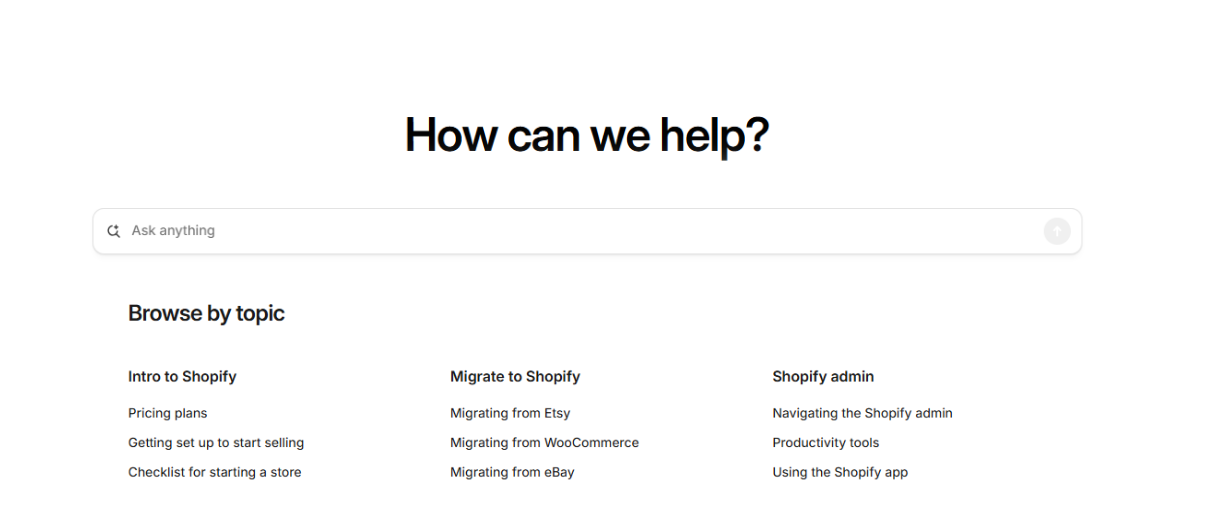
If you want to learn more about how Shopify works then your go-to guide should be the Shopify manual. This guide has been painstakingly crafted by the staff to cover nearly everything you need to know about Shopify.
How To Access The Shopify Manual
Accessing the Help Center manual online is easy at help.shopify.com, and is accessible directly from your desktop or mobile browser.
What We Thought About The Shopify Manual
From how to use your Shopify dashboard to tutorials on store customisation, this guide covers every level of expertise. If you are willing to put the time in, this guide could become invaluable to your business.
Benefits of the Shopify Manual
- 24/7 access to Shopify guides and tutorials
- Step-by-step guidance and in-depth documentation
- Suitable for all Shopify skill levels
Recommended if: You do not have an urgent problem, you just want to learn more about all the features of Shopify and how to use them properly. It may be especially important to you if you are a Shopify POS user too. While the Shopify manual is great for learning, any detailed questions or technical information will need professional guidance using other support services.
7 - Shopify Customer Service: Shopify Academy

Shopify Academy is Shopify’s free learning platform, offering courses and resources to help merchants build, manage and grow their online stores. The academy is ideal for learning Shopify best practices, understanding new features, and developing ecommerce skills at your own pace.
How To Access The Shopify Academy
The Shopify Academy is available via Shopify’s website and can be accessed without a paid plan. Here you can explore courses covering store setup, marketing, design, and business growth. All the content is organised by topic and can be completed on demand.
Our Thoughts
The Shopify Academy provides a structured introduction to key aspects of running an online store. The courses are easy to navigate and cover a broad range of topics, making it particularly useful for beginners.
Benefits of the Shopify Academy
- Ability to gain verified skills and credible knowledge
- Flexibility with on-demand learning available any time
- Suitable for beginners and experts
- Multiple knowledge points covered including; store setup, marketing, and advanced technical skills
Recommended if: You’re new to the platform or want to advance your current set of Shopify skills with flexible learning. However, the Shopify Academy is not a support channel and can’t provide any personalised guidance or hands-on assistance for store-specific challenges.__
Any other pros of Shopify support?
Shopify includes built-in feedback mechanisms that allow users to rate their support experience, providing an immediate way for merchants to share their views on the assistance received. This adds a layer of transparency while helping maintain service quality.
As you can see, Shopify offers a broad range of customer support resources. Merchants can access assistance via live chat, email, and an extensive Help Centre, with support available 24/7. In addition to direct support, Shopify provides a wide variety of educational materials, documentation, and learning resources designed to help you build, manage, and grow your stores.
For merchants who require faster solutions, more in-depth strategic input, or hands-on changes to their store, working with an agency alongside Shopify’s official support channels could be the best solution.
Final FAQs
Is Shopify’s support service free?
Yes, Shopify support is included with all Shopify plans, including Shopify Plus. Merchants can access Shopify customer service via the Help Centre, live chat, email support and phone system at no additional cost.
Do Shopify Plus Merchants Get Better Support?
Shopify Plus merchants receive enhanced platform support and access to dedicated resources, for example an account manager. However this doesn’t include any personalised development work, performance optimisation or strategic growth support.
Can a Shopify Agency Contact Shopify on my behalf?
Yes, your Shopify agency can work directly with Shopify support when needed, helping to escalate issues, provide technical context and reduce back-and-forth communication.
When Should I Use a Shopify Agency?
If your issues are impacting revenue, performance or customer satisfaction and you’re looking for someone to take ownership, working with a Shopify agency can be the fastest and most effective way to scale. Dedicated agencies are particularly valuable for Shopify Plus merchants, custom builds and stores relying on multiple apps and integrations.
Speak To Our Eastside Shopify Experts
If your issues go beyond standard Shopify help, such as downtime, performance impact or conversions at risk, working with a Shopify agency can be the fastest, most efficient way to get results. At Eastside, our team of experts supports Shopify Plus merchants with priority support, technical issues and commercial focuses. If you’d like to discuss your business, get in touch with us today.